This is not a new IDE. It is a routing trick.
Claude Code can be pointed at an Anthropic-compatible API. DeepSeek exposes one. So the practical setup is just: install Claude Code, set the Anthropic-compatible environment variables for this terminal, and launch claude inside the project you actually want to work on.
The useful boundary is to keep it scoped. Do not permanently hijack your normal Anthropic or Claude Code environment just because you want one DeepSeek-powered session.
As of June 28, 2026, DeepSeek's Claude Code integration docs use:
Base URL: https://api.deepseek.com/anthropic
Main model: deepseek-v4-pro[1m]
Fast/subagent model: deepseek-v4-flash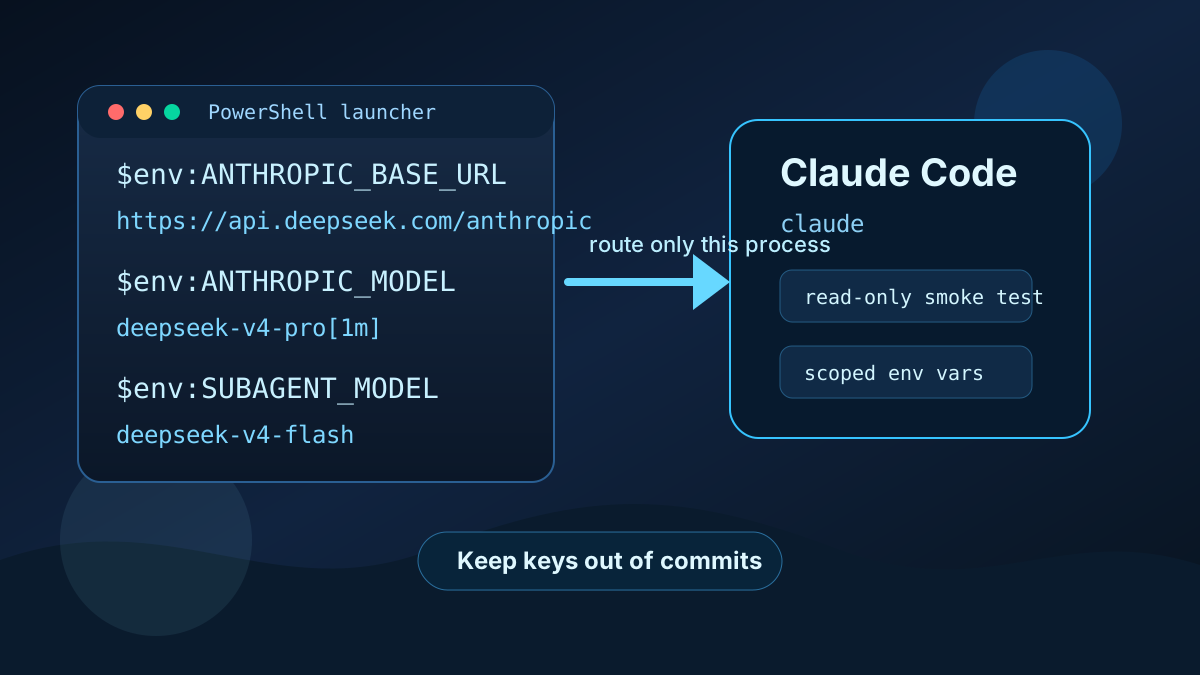
1. Check Claude Code first
Run the boring checks:
node --version
git --version
claude --version
If claude is missing:
npm install -g @anthropic-ai/claude-code
claude --version
DeepSeek's docs call out two basic prerequisites that matter on Windows: Node.js 18+ and Git for Windows. If either one is missing, fix that before debugging model settings.
2. Set DeepSeek for this terminal only
Use a current PowerShell session first. That keeps the blast radius small while you prove the routing works.
Replace the placeholder with your own DeepSeek API key:
$env:ANTHROPIC_BASE_URL="https://api.deepseek.com/anthropic"
$env:ANTHROPIC_AUTH_TOKEN="YOUR_DEEPSEEK_API_KEY"
$env:ANTHROPIC_MODEL="deepseek-v4-pro[1m]"
$env:ANTHROPIC_DEFAULT_OPUS_MODEL="deepseek-v4-pro[1m]"
$env:ANTHROPIC_DEFAULT_SONNET_MODEL="deepseek-v4-pro[1m]"
$env:ANTHROPIC_DEFAULT_HAIKU_MODEL="deepseek-v4-flash"
$env:CLAUDE_CODE_SUBAGENT_MODEL="deepseek-v4-flash"
$env:CLAUDE_CODE_EFFORT_LEVEL="max"
Do not paste your real key into chat, commits, .env.example, logs, screenshots, or tutorial snippets. A setup that works by leaking a credential is not working.
3. Launch inside the project
For a project like PixelBoats:
cd B:\Dev\PixelBoats
claude
Start with a low-risk prompt:
Read the repo structure only. Do not edit files. Summarize the main app entrypoints, package manager, and likely verification commands.That first prompt tells you whether the CLI launches, whether the model responds, and whether the agent can inspect the repo without immediately changing anything.
4. Make a launcher script instead
Once the terminal-session test works, move the setup into a local launcher script. This avoids changing your normal shell profile and makes the DeepSeek route an intentional choice.
Create:
notepad B:\Dev\launch-claude-deepseek.ps1Paste:
param(
  [string]$Project = "B:\Dev\PixelBoats"
)

if (-not $env:DEEPSEEK_API_KEY) {
  Write-Error "Missing DEEPSEEK_API_KEY. Set it first in your user environment or current shell."
  exit 1
}

$env:ANTHROPIC_BASE_URL="https://api.deepseek.com/anthropic"
$env:ANTHROPIC_AUTH_TOKEN=$env:DEEPSEEK_API_KEY
$env:ANTHROPIC_MODEL="deepseek-v4-pro[1m]"
$env:ANTHROPIC_DEFAULT_OPUS_MODEL="deepseek-v4-pro[1m]"
$env:ANTHROPIC_DEFAULT_SONNET_MODEL="deepseek-v4-pro[1m]"
$env:ANTHROPIC_DEFAULT_HAIKU_MODEL="deepseek-v4-flash"
$env:CLAUDE_CODE_SUBAGENT_MODEL="deepseek-v4-flash"
$env:CLAUDE_CODE_EFFORT_LEVEL="max"

Set-Location $Project
claude
Then set the key once for your Windows user:
[Environment]::SetEnvironmentVariable("DEEPSEEK_API_KEY", "YOUR_DEEPSEEK_API_KEY", "User")Open a new PowerShell window and run:
B:\Dev\launch-claude-deepseek.ps1The difference is important: your key lives in the user environment, while the Anthropic-compatible routing only exists for the launched Claude Code process.
5. Temporary one-liner
For a throwaway test, the one-liner version is fine:
$env:ANTHROPIC_BASE_URL="https://api.deepseek.com/anthropic"; $env:ANTHROPIC_AUTH_TOKEN=$env:DEEPSEEK_API_KEY; $env:ANTHROPIC_MODEL="deepseek-v4-pro[1m]"; $env:ANTHROPIC_DEFAULT_OPUS_MODEL="deepseek-v4-pro[1m]"; $env:ANTHROPIC_DEFAULT_SONNET_MODEL="deepseek-v4-pro[1m]"; $env:ANTHROPIC_DEFAULT_HAIKU_MODEL="deepseek-v4-flash"; $env:CLAUDE_CODE_SUBAGENT_MODEL="deepseek-v4-flash"; $env:CLAUDE_CODE_EFFORT_LEVEL="max"; cd B:\Dev\PixelBoats; claudeI would not make that the everyday workflow. It is useful for proving the route, not for operating a tool you expect to trust.
Compatibility notes
DeepSeek says Claude Code web search is supported through their API. Treat that as a paid path: search-triggered calls can add token usage because retrieved content still has to be summarized by the model.
DeepSeek's Anthropic API guide also documents model-name mapping. Claude model names starting with claude-opus map to deepseek-v4-pro, while claude-haiku and claude-sonnet map to deepseek-v4-flash.
That mapping is useful when compatibility gets weird, but for Claude Code I would start with the explicit environment variables from the integration docs. It is clearer, easier to audit, and less likely to hide a routing mistake behind automatic mapping.
The operating rule
Keep the key separate from the launcher. Keep the launcher separate from your default Claude setup. Start each new project with a read-only smoke test.
That gives you the benefit of the DeepSeek route without turning your normal coding environment into a mystery box.